iAnnexation

My First Game App, this is v2.0!
-I pulled this app off the App Store in 2017 and is being re-introduced upon Apple Approval…
VERSION 2.0 has been submitted to the App Store for review!
2012 - Ray Wenderlich hosted a series of indie developer tutorials. Colin Eberhardt wrote a tutorial on Reversi and I took heart with the history feeling like I needed to share that Annexation was the precursor to Reversi (and Othello). While the first iteration of this game was more directed to 4 players with a cross-shaped board, it evolved to leverage a chess board and the graphics here are inspired by the first 8x8 board published for Annexation.
Please shoot me a note with any thoughts about the app!
The Interface
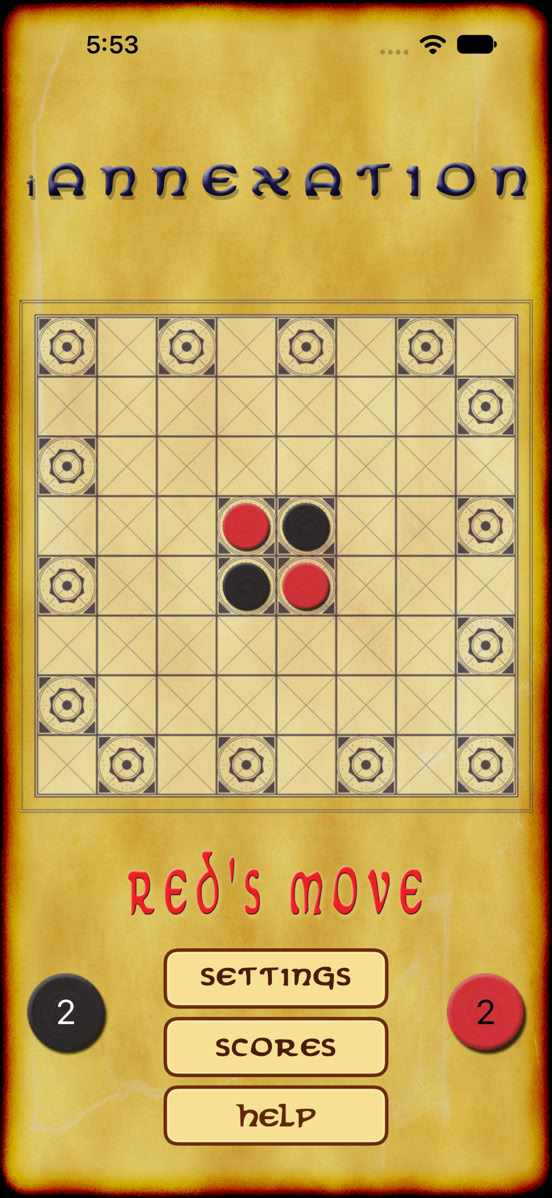
This is the main screen used to play the game and launch the settings, scores or help dialogs. The Help can explain the rules of the game, as well as how the computer-based competition works and the settings.
Settings
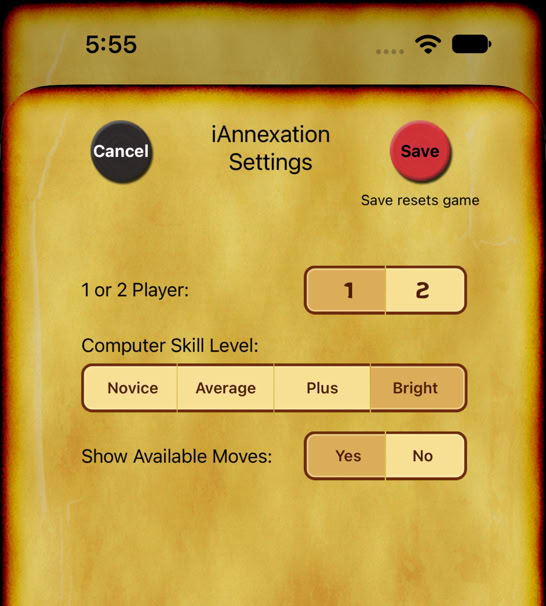
1/2 Player: Do you wanna play someone else (2-player) or play the computer (your phone or iPad: 1-player)?
Computer Skill Level: Novice to Bright
Show Legal Moves: For newbies, this is a great way to learn how to play! Turn this on and a faint image of your pieces will show where you can play (when it’s your turn).
The app shown with the fuel logs selected.
Game History
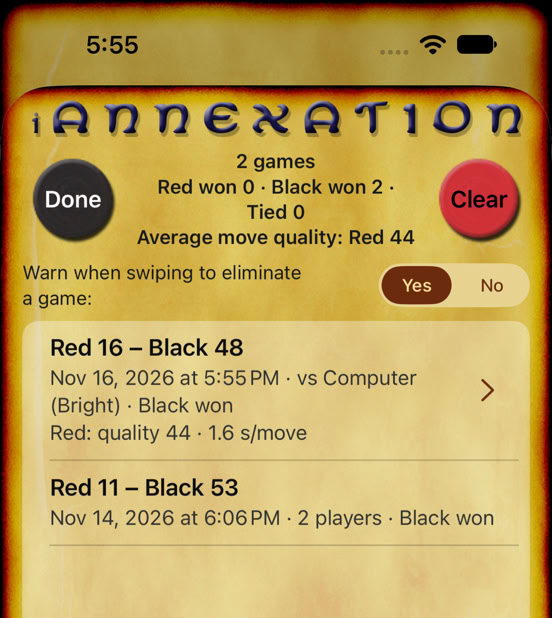
Here, the top displays the known history of the number of games played, how many times each color has won or tied. There’s a selector enabling you to receive an alert when you swipe left on a specific game to warn you before deleting.
Also, you can delete your entire game history by clicking the “Clear” button (Red Chip).
By tapping on a specific game/line, a dialog/screen will show up giving you the details of each move through that game.
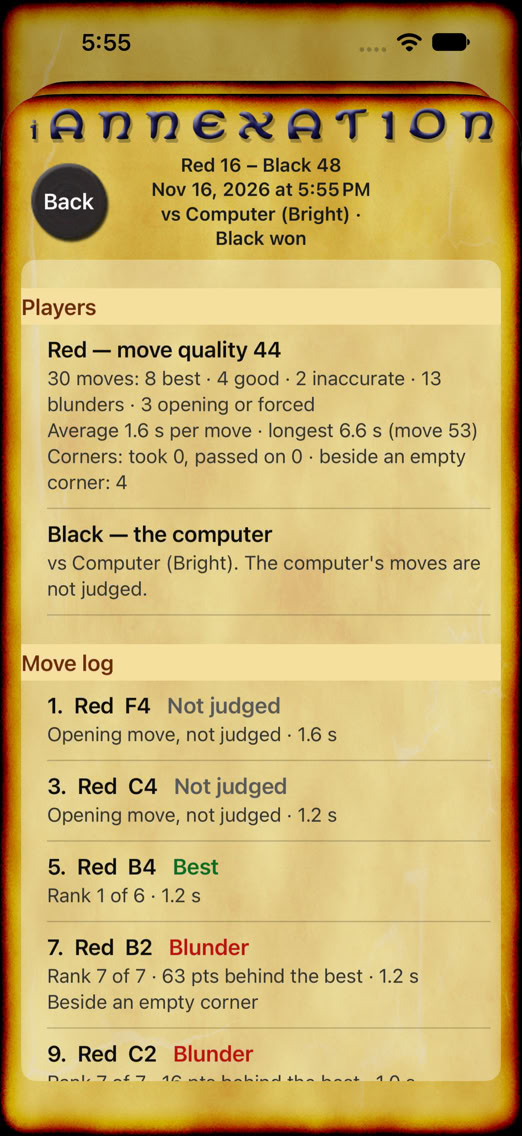
Game Detail
The game detail, first, summarizes each player’s history graded by “move quality” from 1-100 and summarizing the performance.
Then, a detailed Move Log shows the move number, the cell/square placed, a judgement on that move a ranking of that move against the available moves and the time it took to make that move. There’s also a remark if a corner square was missed.
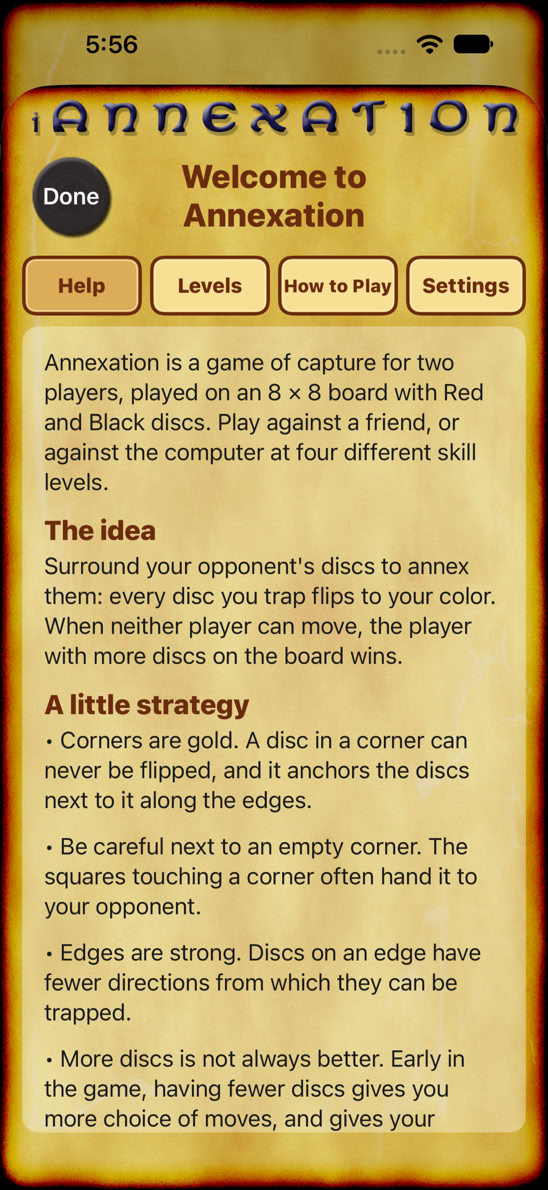
Help
Help is provided here for three reasons:
1. To help describe the different levels
2. How to play the game
3. The Settings that are available on the Settings screen.
Also, there’s a summary of the game & strategy.
ABCDEF
PLEASE, PLEASE, PLEASE... if you read this and want more information, I am happy to update the site with additional details (as well as email you whatever information you desire).
